
Global mobile app downloads reached approximately 150 billion in 2025, highlighting the continued growth of the mobile app market.
Successful mobile app development goes beyond coding. It requires validating your idea, understanding your users, choosing the right technology, and following a structured development process. This guide covers each stage, from planning and design to testing, launch, and ongoing improvement.
Native vs Cross-Platform vs Progressive Web Apps (PWA): Quick Comparison
| Feature | Native Apps | Cross-Platform Apps | Progressive Web Apps (PWA) |
| Description | Built separately for iOS and Android using platform-specific technologies. | Built with a single codebase that runs on both iOS and Android. | A web application that delivers an app-like experience through a web browser. |
| Technologies | Swift (iOS), Kotlin (Android) | Flutter, React Native, .NET MAUI | HTML, CSS. JavaScript, Service Workers |
| Performance | Excellent | High (Near-native) | Good |
| Development Cost | Highest | Moderate | Lowest |
| Development Time | Longest | Faster | Fastest |
| Access to Device Features | Full access | Supports most device features | Limited compared to native apps |
| App Store Distribution | Required | Required | Not required |
| Best For | High-performance, feature-rich, and enterprise applications | Most business applications, eCommerce apps, booking systems, and MVPs | Content-driven websites, customer portals, and lightweight business applications. |
How to Validate Your App Idea Before Development Begins
A clear problem statement is the foundation of every successful mobile app. It defines the gap between users’ current challenges and the solution your app aims to provide, giving your team a shared understanding of the problem they’re solving. A well-defined problem statement should clearly identify the target users, the challenge they face, the context in which it occurs, and the value your app delivers by addressing it.
Next, analyse competing apps across three categories: Leaders (established market players), Niche Players (apps serving specific user groups), and Disruptors (emerging competitors introducing innovative solutions). Evaluate their features, pricing, monetisation strategies, onboarding experience, and user reviews to understand what works well, identify common user pain points, and uncover opportunities to differentiate your app.
- Define the core problem: Problem Identification, Context, Effects, and Relevance
- Identify target audience: location, age, income, education, tech comfort, and platform preference
- Study competitor apps and user reviews to spot market gaps
- Research market trends (e.g. apps connecting people to real-life experiences are growing fast)
- Validate demand by talking to 20–50 potential users before coding
Why Design & User Experience Matter in Mobile App Development
 Photo by Magnific
User interface (UI) and user experience (UX) design have a direct impact on how users interact with your app. Clear navigation, intuitive layouts, and consistent visual design improve usability, increase engagement, and encourage long-term user retention.
The design process typically begins with wireframes and interactive prototypes to define the app’s structure and user flow before development starts. Tools such as Figma and Adobe XD help teams collaborate, refine designs, and identify usability issues early, reducing costly revisions during development.
A well-designed mobile app should also deliver a consistent experience across different devices while remaining accessible to a wider range of users.When designing your app, consider these best practices:
- Create wireframes and prototypes to validate user flows before development.
- Keep navigation intuitive so users can complete tasks with minimal effort.
- Design responsive layouts that adapt across different screen sizes.
- Follow accessibility guidelines, including readable typography and sufficient colour contrast.
- Conduct usability testing to identify issues before launch.
The 6-Step Mobile App Development Process
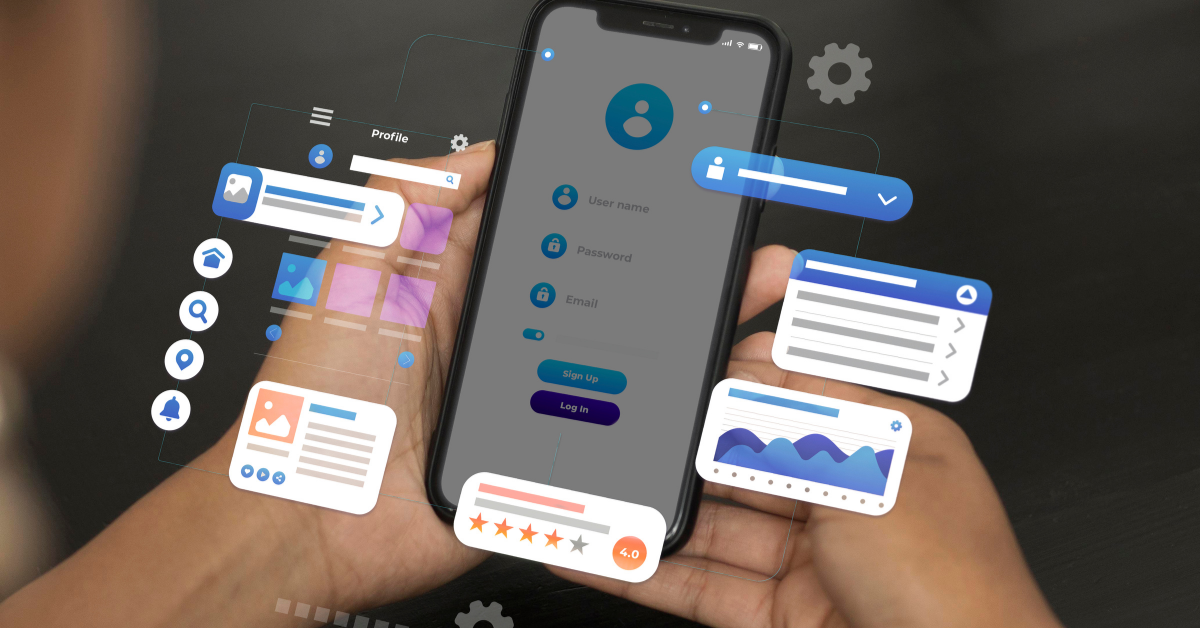 Photo by Magnific
- Validate your app idea: Define the problem your app solves, identify your target audience, analyse competing apps, validate market demand through user interviews or surveys, and prioritise core features before development begins.
- Design wireframes & User Experience: Create wireframes and interactive prototypes, map user flows, design responsive layouts for different screen sizes, and follow accessibility best practices, including readable typography, sufficient colour contrast, and screen reader compatibility.
- Choose your development approach: Select the most suitable approach based on your project requirements: Native (Swift for iOS, Kotlin for Android), Cross-Platform (Flutter or React Native for a shared codebase), or PWA for browser-based applications with lower development costs.
- Develop, test, and optimise: Build the application using your chosen technology stack, implement backend APIs and databases, conduct unit testing, integration testing, user acceptance testing (UAT), and performance testing to ensure functionality, stability, and security before launch.
- Launch your mobile app: Prepare app store assets, complete App Store and Google Play submission requirements, configure analytics and crash reporting tools, and verify app performance across supported devices before public release.
- Monitor, maintain and improve: Track user behaviour, crash reports, app performance, and user feedback using analytics tools. Release regular updates to fix bugs, improve performance, strengthen security, and introduce new features based on user needs.
Frequently Asked Questions About Mobile App Development
What is the difference between native app development and cross-platform development?
Native apps are built specifically for one platform (iOS or Android) using platform-specific languages and tools, delivering the best performance for resource-heavy tasks like gaming. Cross-platform development uses a single codebase (Flutter, React Native, Kotlin Multiplatform) to build apps for multiple platforms 50% faster, reducing costs and simplifying maintenance, though with minor performance trade-offs. Native is ideal if you need maximum performance; cross-platform wins if you need speed-to-market and cost efficiency.
How much does it cost to develop a mobile app in Malaysia?
Development costs vary widely depending on complexity, features, and approach. Native development typically costs more (separate teams per platform), while cross-platform apps cost 30–50% less with a single team. PWA development is the most economical option. A basic business app (MVP) ranges from RM50,000–150,000; feature-rich apps can exceed RM300,000. Exact pricing depends on your team’s location, experience level, and project scope.
Which frameworks should I choose: Flutter, React Native, or Kotlin Multiplatform?
Flutter (46% developer preference) excels at consistent cross-platform performance and fast development with hot reload; it’s ideal for apps needing a polished UI across iOS and Android. React Native (42% developer preference) uses JavaScript and real native UI components, perfect if your team knows JavaScript; it has a massive ecosystem but a steeper learning curve for performance optimization. Kotlin Multiplatform is best for Android-first teams wanting to share business logic while building native UIs. Choose Flutter for speed and consistency, React Native for JavaScript teams, or Kotlin for Android-native teams sharing logic.
Why is user experience (UX) design so critical in mobile app development?
Users decide whether to keep your app within seconds, making first-impression UX vital to retention and engagement. Poor UX—confusing navigation, slow load times, accessibility barriers—drives uninstalls and bad reviews. Modern design tools like Figma enable rapid iteration and testing across devices. Accessibility (WCAG compliance, screen reader support, color contrast) is now legally required in many markets and expands your addressable user base by millions.
How do I validate my mobile app idea before spending money on development?
Start by writing a clear problem statement defining the gap between current and desired states, then analyze competitors across three categories (Leaders, Niche players, Disruptors) to identify market gaps. Talk to 20–50 potential users about their pain points and willingness to pay; study user reviews of competitor apps to spot what’s missing. Only then move to wireframing and prototyping. This validation phase costs under RM10,000 but prevents costly mistakes—9 out of 10 startups fail because nobody wants what they built.

- Pay Per Click Advertising - September 25, 2026
- Hiring Freelancers in Malaysia: Costs, Platforms & Best Practices - September 24, 2026
- Email Campaign Checklist: 9 Steps to Launch with Confidence - August 14, 2026